
In early August, the new UC application season is about to kick off, and many who plan to apply or transfer into the UC system are already eager to get started. You absolutely cannot miss this guide!
This step-by-step tutorial will walk you through the entire application process—from preparation to the application form and final submission. Be sure to bookmark it~
(1) Introduction to the UC Application System
Applying to college is an important step in furthering your education, a moment in life that is both exciting and challenging.
The UC campuses are not seeking perfection; they are looking for students with diverse backgrounds, interests, and goals who will bring their unique perspectives to the University of California community.
This means that beyond coursework, grades, and test scores, the university wants to understand your passions and life experiences—everything that has shaped you into who you are today.
CheersYou(清柚教育) hopes this application guide will help you resolve any issues you encounter while filling out the form.
Some Campuses Open Winter/Spring Transfer Applications
This year, the UC system has introduced a new change:
UC Merced, UC Santa Cruz, and UC Riverside are now accepting winter/spring transfers, with the application period running from July 1 to July 31.
If you need more help or information, feel free to contact a CheersYou(清柚教育) advisor for detailed consultation~
All other campuses still only accept regular fall transfers, with the application period remaining November 1–30 each year.
Students can use the CheckMajors page to determine whether their intended major accepts winter/spring transfers. Link:
https://admission.universityofcalifornia.edu/campuses-majors/majors/
(2) Preliminary Preparation
Ø Basic Preparation Before Starting
1. Ensure you have the following materials ready in advance:
- Official transcripts/academic records from all institutions for completed, in-progress, current, and planned courses.
- Test scores (if applicable)
- Honors and awards
- List and descriptions of extracurricular activities
- Dates and nature of volunteer/employment experience
- Military service dates
2. Start your application as early as possible (August 1) and give yourself extra time to prepare.
3. We know this application form takes time, but remember to submit before November 30.
Ø About Selecting Campuses and Majors
1. Identify your target schools and majors early; check which major requirements you have completed and which you still need to plan for.
2. It's also important to understand graduation requirements and how long it will take to graduate.
3. Major lists for all nine UC campuses are available; note that some majors require supplemental applications and some are not open every semester.
(3) Starting Your Application
Ø Creating an Application Account
1. To create an account, you need an email address and password.
- Use your most frequently used email address, and try to avoid using a school email to register.
- The university will send important, time-sensitive emails to applicants, so check your inbox regularly, including the spam folder.
- Keep your login information secure.
- If you have a UC TAP account, the email address must match.
2. After clicking "Create account," you will receive a confirmation email.
Ø Selecting Application Term
After creating your account, select the term you are applying for and your applicant level (freshman, transfer).
Ø Let Your Shine Begin
(4) Application Form Instructions
Ø Right-Side Navigation
- This includes all sections of the application. Click each part to show subdirectories.
- Each section has a Review page where you can check all the data entered for that section.
Ø Inside the Application Form
You can choose any section in the application form to fill out, but it’s not recommended. Some pages adjust based on information entered on previous pages, so it’s best to fill them out in order.
Ø Saving Information
- After completing each page, click "Save & continue." The system will automatically log you out after 20 minutes of inactivity.
- Successfully completed pages will have a checkmark in the right-side navigation.
- If information is incorrect or incomplete, you will see a prompt like the one below; you must correct it before submitting.
Ø Application Form Main Body: 7 Sections
n About you
n Campuses & Majors
n Academy history
n Test Scores
n Activities & awards
n Personal insight question
n Review & Submit
1. About You
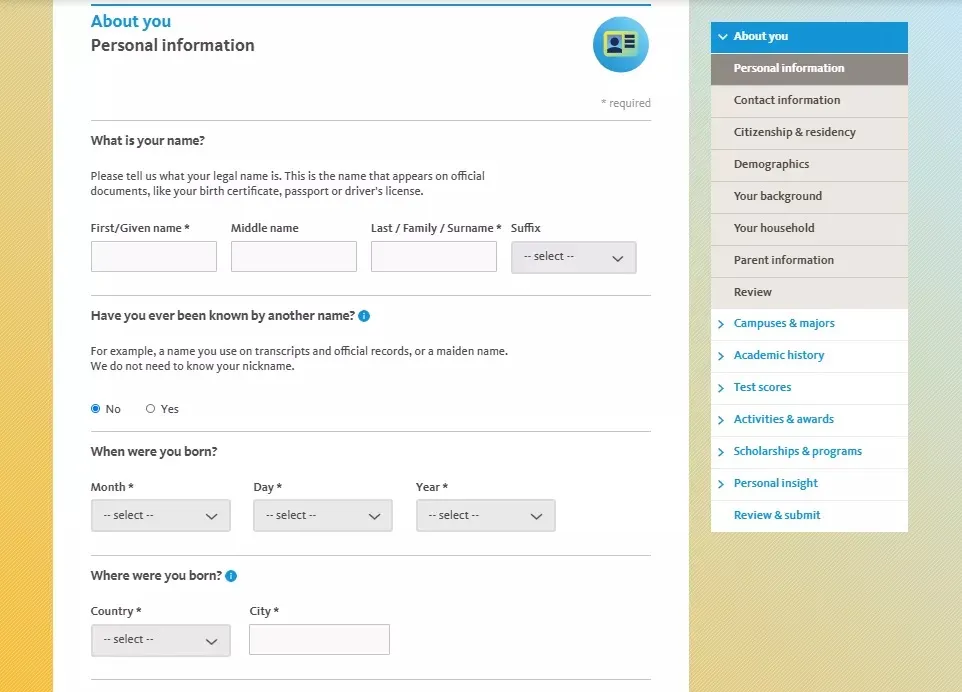
[Personal & Contact information]
The first two pages cover basic personal information such as name, date of birth, and contact details.
For Home Address, it is strongly recommended to use a U.S. address; otherwise, receiving your acceptance letter and I-20 may be delayed.
[Citizenship and residency]
For nationality, select "China, People's Republic of." International students choose F1 Visa; green card holders select Green Card. Leave the SSN or ITIN fields blank if you don't have them.
[Demographics]
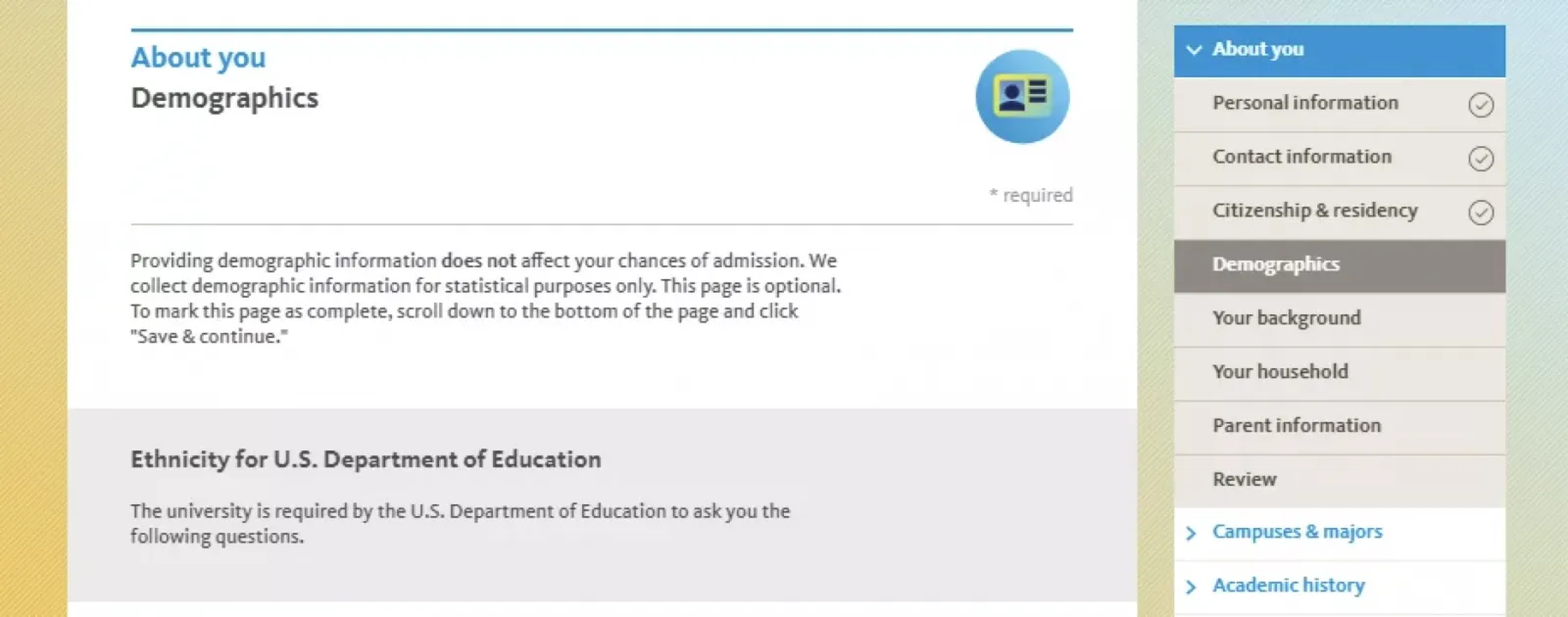
This page is optional and is primarily for statistical purposes; it does not affect admission chances.
On the following pages, you'll enter information about your background, family, and parents. UC wants to know about your life outside of class, including your family background. This information helps the university better understand your family environment and determines your eligibility for certain programs, scholarships, or application fee waivers.
[Your background]
This page asks more questions about your personal background, such as what your first language is, whether you have lived in foster care or in the military, and your marital or partnership status.
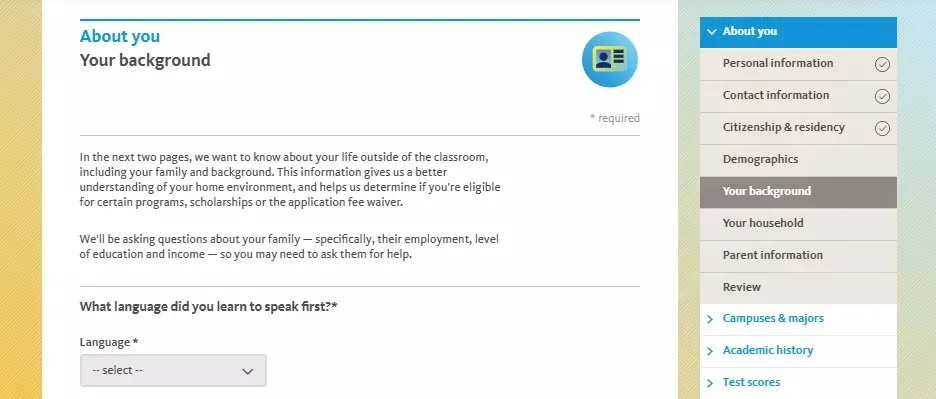
Answers on this page will also determine whether you are asked for more parental information on subsequent pages.
[Your household]
Household income is the total pre-tax income from all sources. This information is primarily used to determine eligibility for application fee waivers; providing details about family size and income may allow UC to automatically waive your application fee.
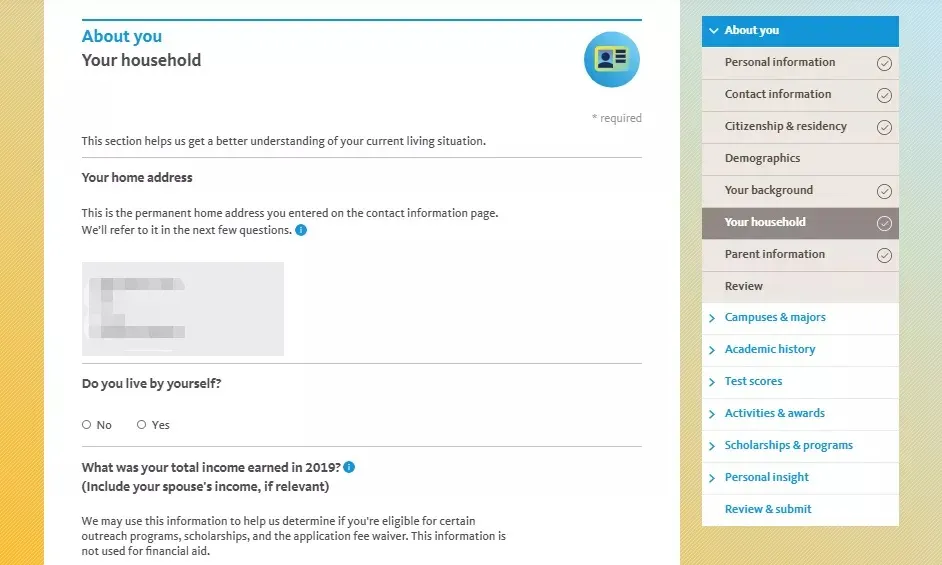
[Parent information]
Applicants can choose to add information for both parents (biological, stepparents, or legal guardians).
2. Campuses & Majors
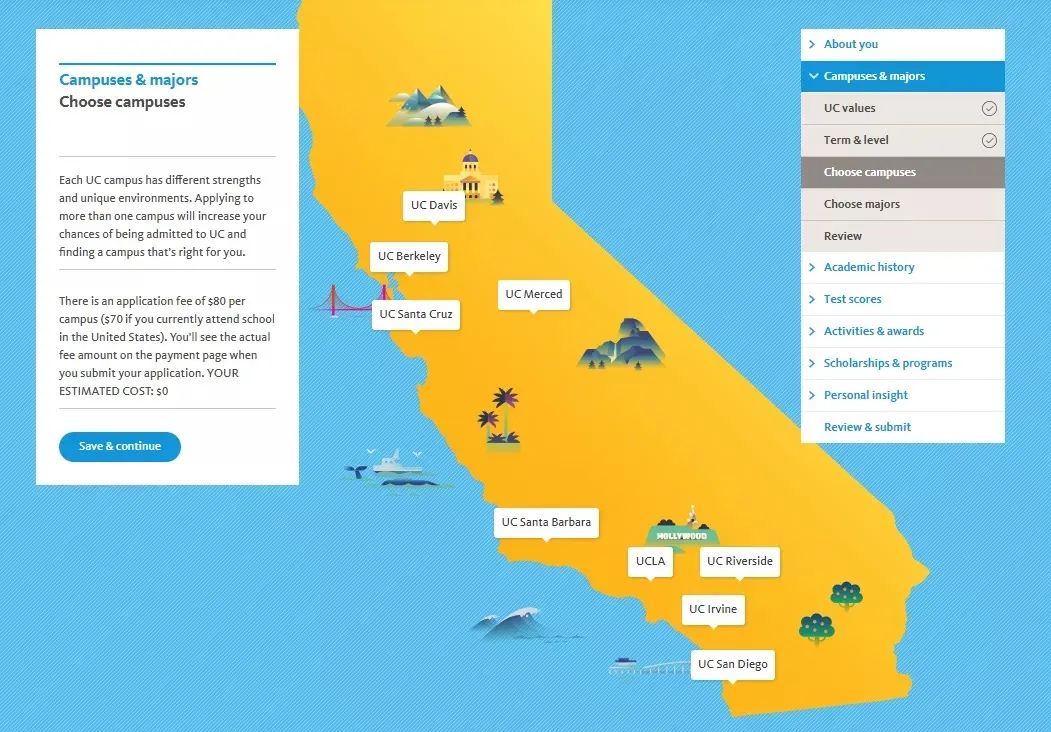
The UC undergraduate system has 9 campuses to choose from.
[Choose campuses]
It is generally recommended to apply to 6–7 campuses. You can apply to schools across different tiers to reduce the risk of rejection across the board.
[Choose majors]
You must select a major for each campus. Except for UC Berkeley, all 8 other campuses allow you to choose an alternate major. If a campus cannot admit you to your first-choice major, it may consider you for your alternate major. Make sure the alternate major is truly a field of study you want to pursue; in some cases, it can be in a different field from your primary major.
Some majors require you to complete preparation courses by the fall of your application, while others require additional coursework to be completed at UC before transferring.
Some majors are not open every term; click "Show closed majors" at the top of the page to check.
Certain schools and colleges, or specific majors, may require supplementary applications and additional supporting materials. If a major requires a supplemental application, this will be shown after you select it. If the supplemental application is not completed by the deadline, the school will stop processing your application.
The school will not begin reviewing your materials until the supplemental application is complete.
3. Academic history
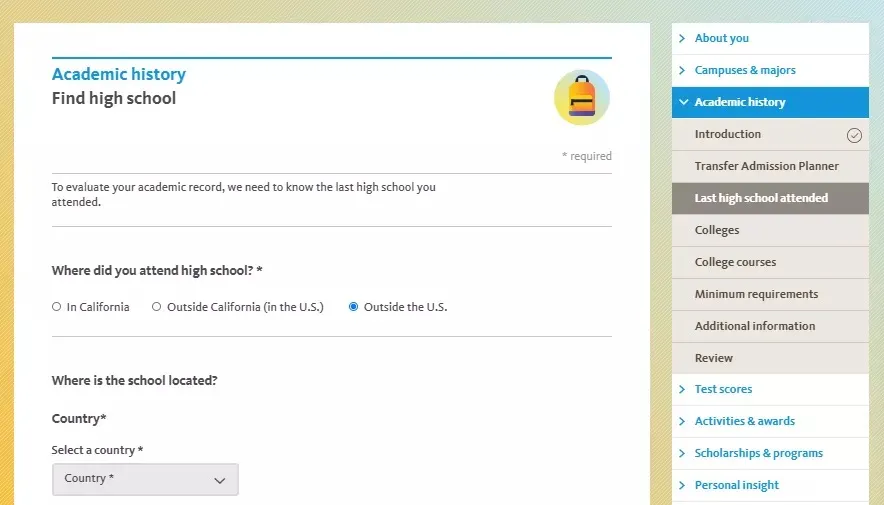
The information entered here must be complete and accurate. After you accept an offer of admission, UC will require official transcripts from each school you listed to verify the information in the application.
When filling out any information on this page, make sure to strictly compare against your transcripts, including:
- Specific college-level credit courses taken in high school
- Courses taken at international schools, whether leading to a diploma, certificate, or formal transcript
- High school information
List all courses and institution information in chronological order.
You must report all courses taken at each institution, including those where you received a D, F, or R grade. At the end of the section, you will have an opportunity to explain any low grades.
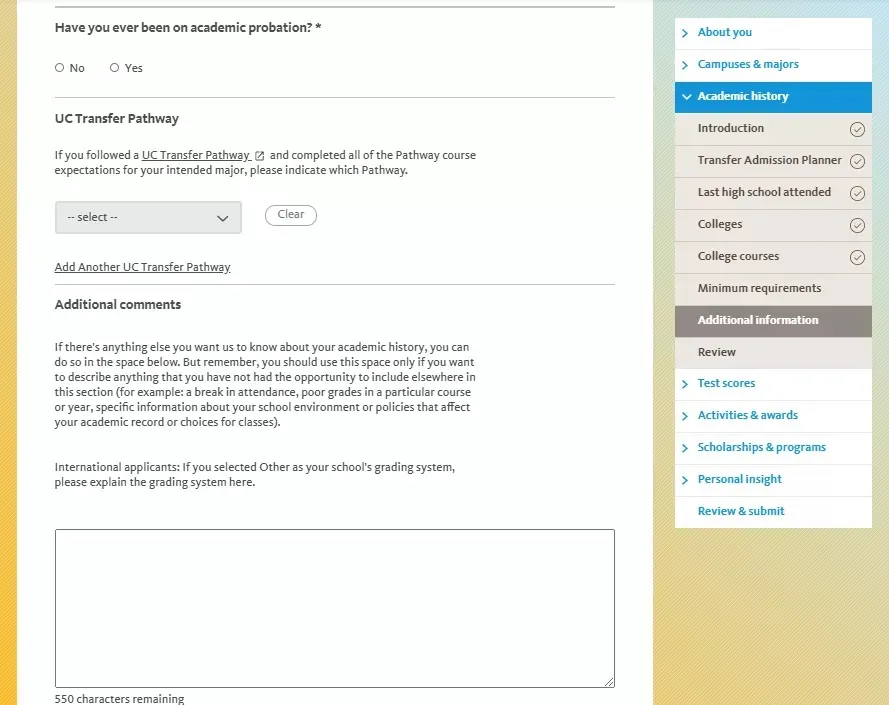
After submission, some schools may contact you directly via email requesting additional information or official transcripts.