

During these special times, GMAT has also introduced the online at-home exam (GMAT™ online exam), allowing test-takers to choose between taking the test at home or at a test center. The GMAT online exam aims to give candidates more choices and flexibility to perform their best on test day.
For students who need to get scores quickly and rush the 2022 Fall application season, the GMAT online at-home exam is currently the best option.
Recently, GMAT authorities have made a series of updates to the online exam, including adjusting exam content, optimizing score reporting policies, and changing exam attempt limits. These changes have been effective since October 20.
CheersYou(清柚教育) will provide a detailed overview of the new GMAT online at-home exam's latest policies and registration methods, hoping to help everyone.
Latest Policies for the GMAT Online Exam
The new GMAT online exam has mainly changed the following aspects:
-
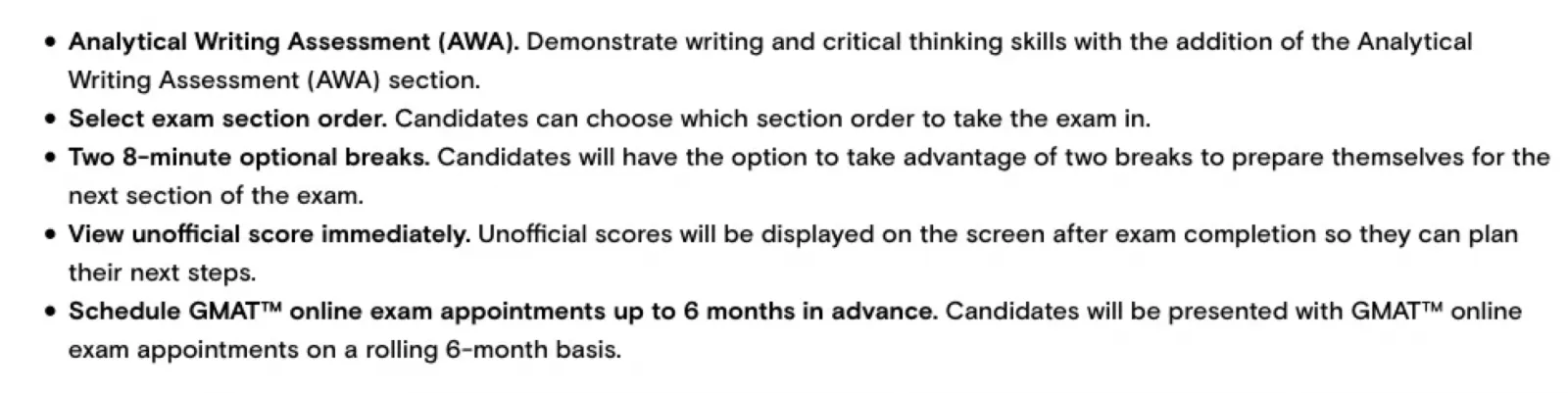
Reinstated AWA Essay (Analytical Writing Assessment): The GMAT online exam has restored the previously waived AWA section, requiring test-takers to demonstrate their writing and critical thinking skills through AWA writing.
-
Choice of exam order: The GMAT online exam allows candidates to freely choose their exam order among Quant, Verbal, IR, and AWA.
-
Two optional 8-minute breaks: Test-takers can decide whether to use the two breaks to enhance their test performance.
-
Immediate score viewing: After completing the GMAT online exam, candidates can immediately view their unofficial scores.
-
Schedule up to six months in advance: Test-takers can schedule their GMAT online exam up to 6 months in advance.
Exam Content
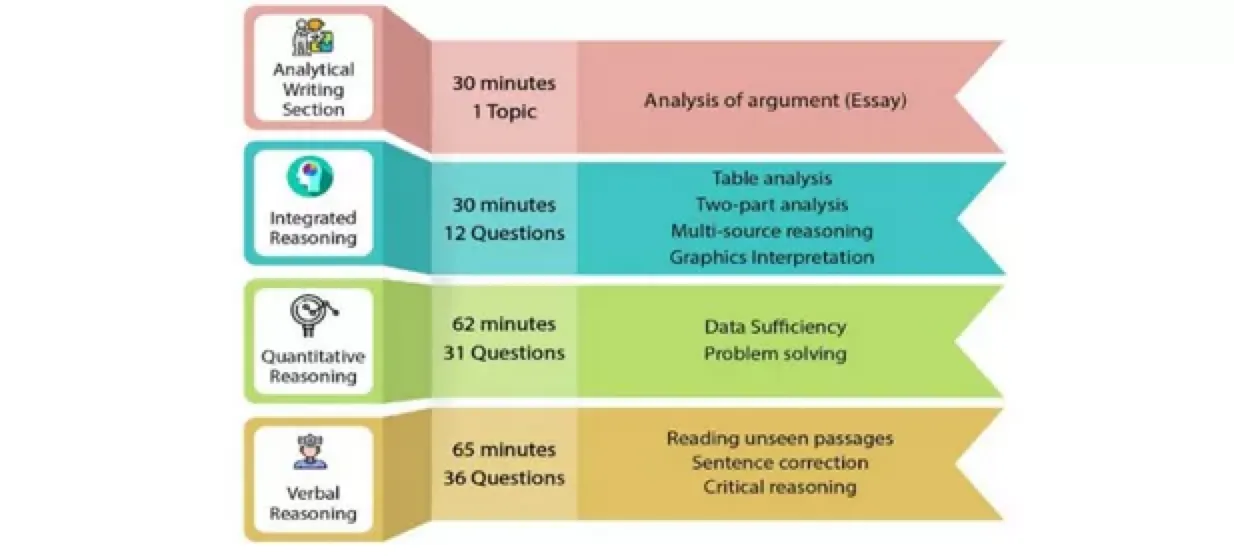
After the update, the GMAT online exam will be consistent with the in-person exam, comprising four sections:
-
Integrated Reasoning: Tests the ability to analyze data and evaluate information.
-
Quantitative Reasoning: Tests the ability to use reasoning to analyze data and draw conclusions.
-
Verbal Reasoning: Tests reading comprehension skills.
-
Analytical Writing (AWA): Assesses critical thinking and communication skills.
The number of questions and time for each section are as follows:
-
Quant: 31 questions, 62 minutes
-
Verbal: 36 questions, 65 minutes
-
IR: 12 questions, 30 minutes
-
AWA: 1 question, 30 minutes
Exam Order
Test-takers taking the GMAT online at-home exam can choose from the following exam orders:
-
AWA, IR, Quant, Verbal
-
Verbal, Quant, IR, AWA
-
Quant, Verbal, IR, AWA
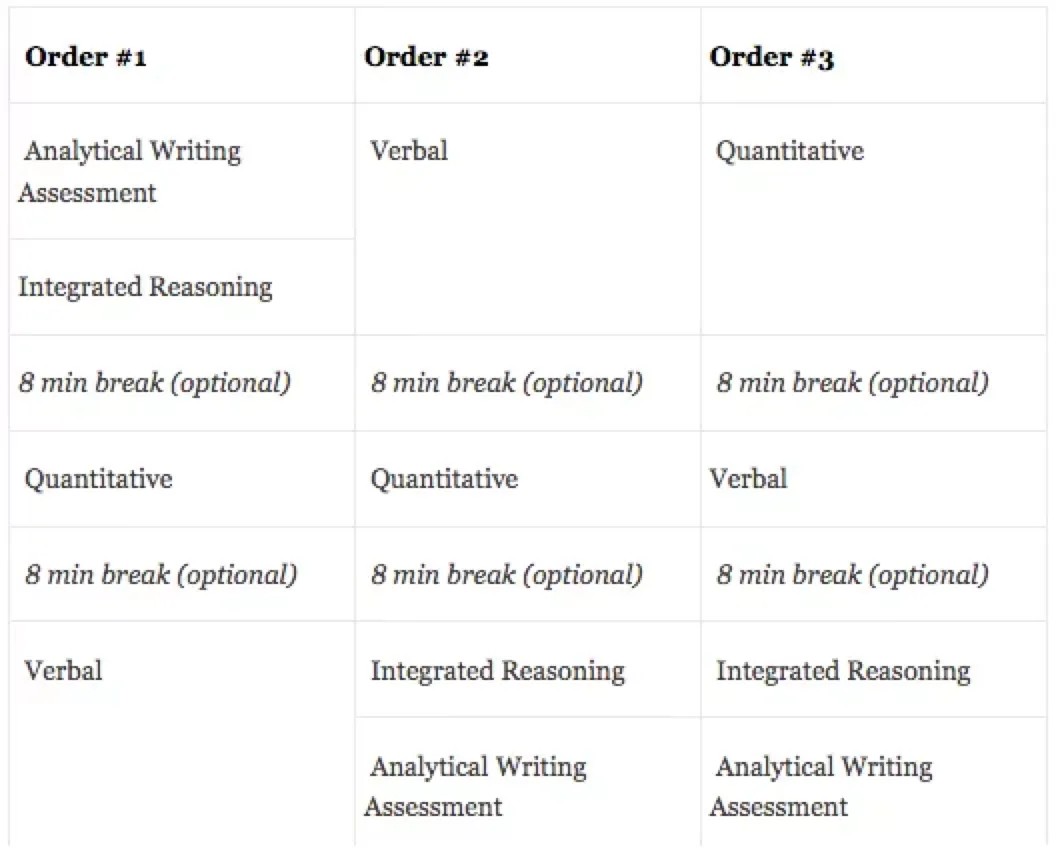
The option to choose the exam order gives test-takers more control and flexibility to play to their strengths.
Scoring and Attempt Limits
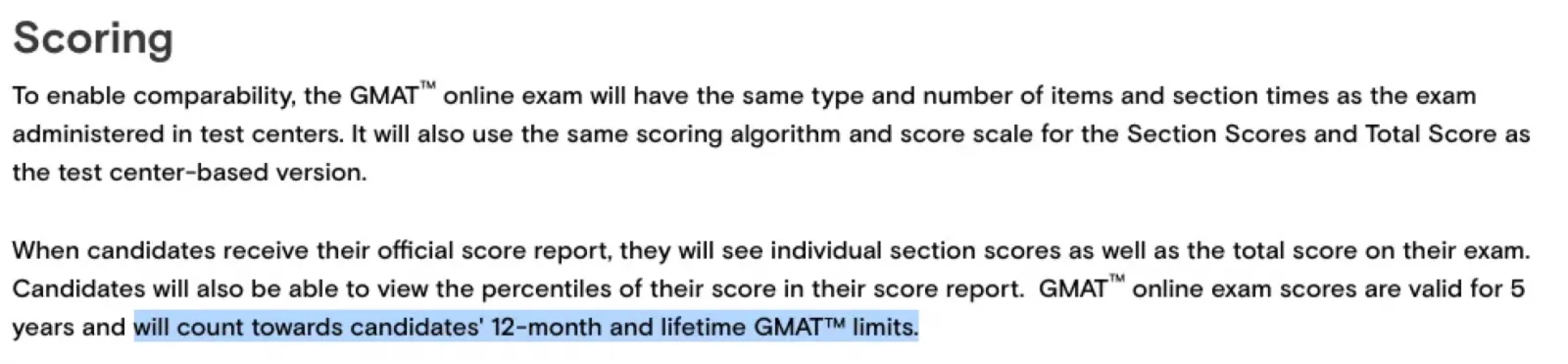
The GMAT online exam will use the same scoring algorithm and score display as the in-person exam; test-takers can see their total score, section scores, and section percentile rankings.
GMAT online exam scores are valid for 5 years, and these attempts count toward the limits of 5 times in a 12-month period and 8 times in a lifetime.
Score Release and Reporting
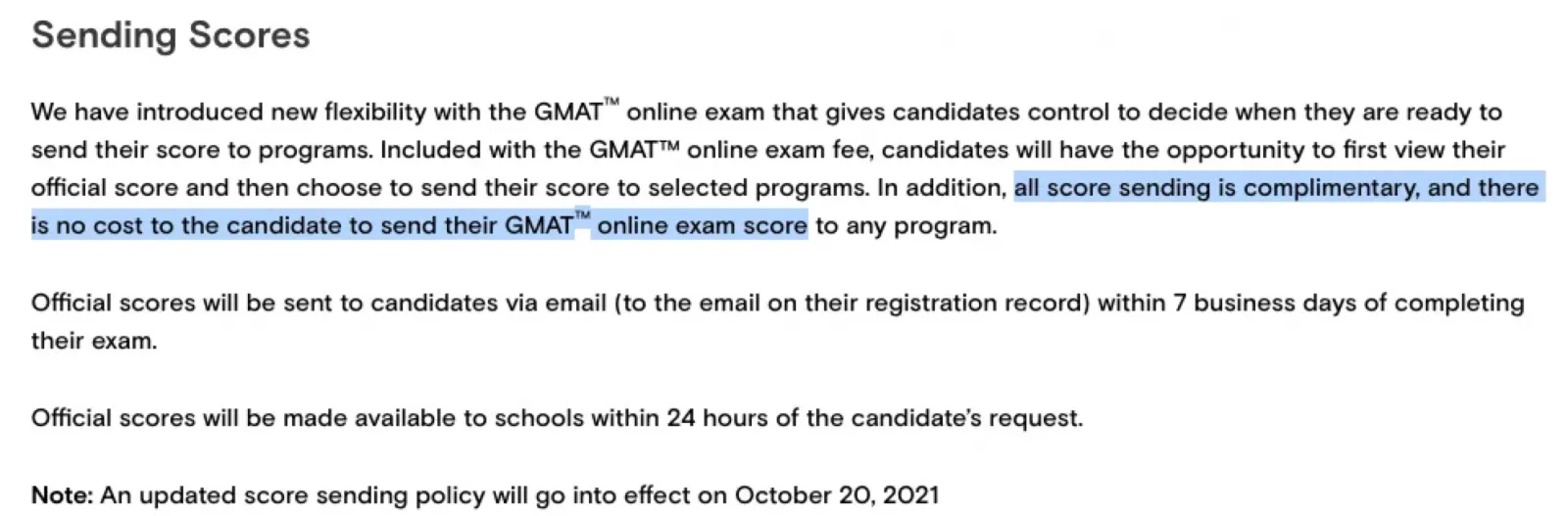
The new GMAT online exam gives test-takers more control, allowing them to decide when to send their scores to schools.
Test-takers can choose whether to report their scores after seeing them. In addition, score reporting fees are included in the registration fee, with no extra charge.
Official GMAT scores will be emailed to test-takers within 7 business days after the exam. Once a score report request is initiated, schools will receive the scores within 24 hours.
Exam Duration and Fees
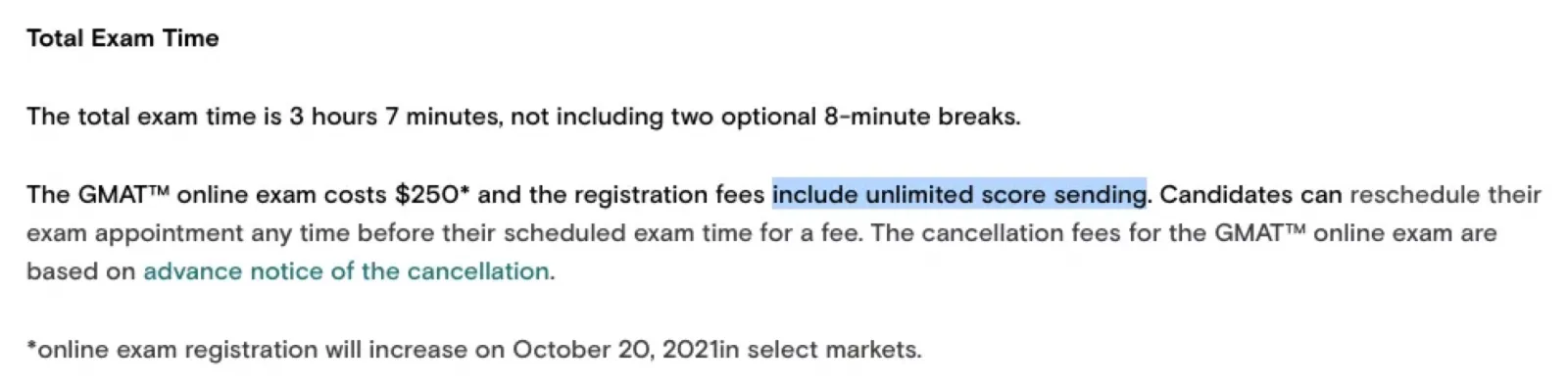
The GMAT online exam duration is now 3 hours and 7 minutes (excluding the two optional 8-minute breaks).
The registration fee has increased from $200 to $250, including unlimited free score reports.
Additionally, test-takers can reschedule their exam at any time before the test via their mba.com account for a fee. Cancelling the exam also incurs a fee.
Registration Time and Eligibility
For convenience, GMAT online exam appointments are available 24/7, and test-takers can register up to 24 hours in advance.
Most countries and regions are eligible for the GMAT online exam, except currently for test-takers located in Mainland China, Cuba, Iran, North Korea, and Sudan. Although it is possible to register and take the test from within China, be aware of network stability and other uncertainties. Students wanting to take the GMAT at-home test from China are still advised to proceed with caution.
Additionally, GMAT authorities state that if test centers in your region are open and comply with public health requirements, you are welcome to take the exam at a local test center while adhering to social distancing guidelines.
Currently open test centers in the Greater China region can be checked here:
https://www.gmat.com.cn/test-center-update-2021/
GMAT Online Exam Registration Process
Register for a GMAT Account
First, open the GMAC official registration page and fill in the information to create an account:
https://accounts.gmac.com/Account/Register
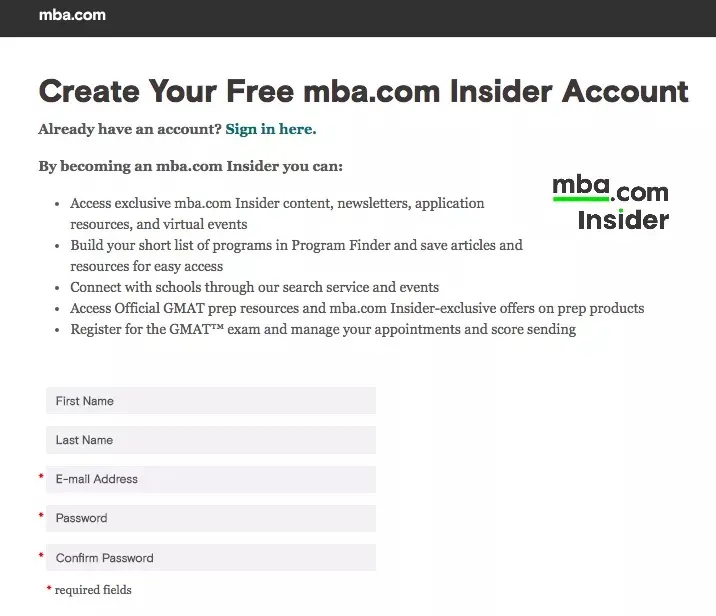
The specific steps are as follows:
1. Fill in basic personal information, including:
-
First/Given Name and Last/Family Name: Must match the information on your identification document (e.g., passport).
-
Email: Preferably use an email you check frequently to avoid missing important information.
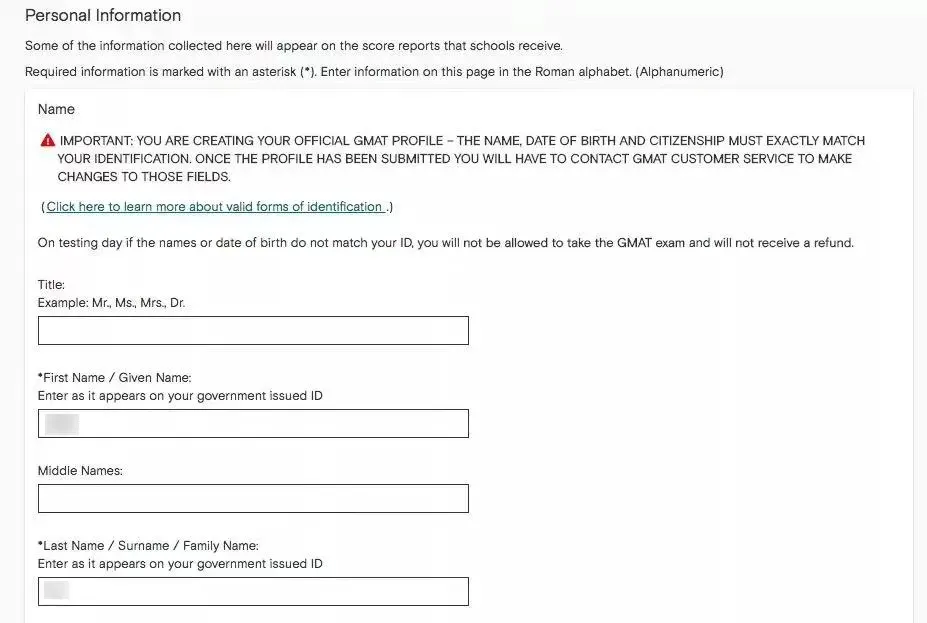
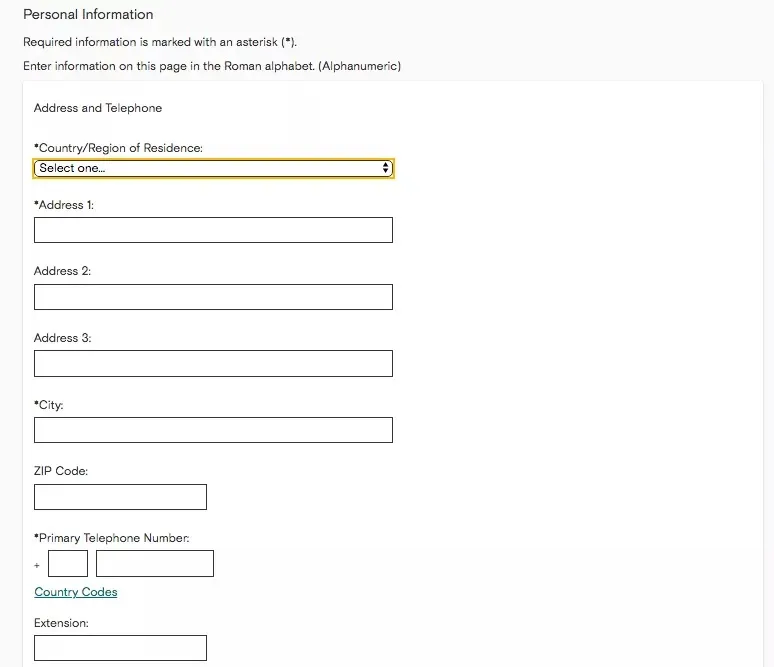
2. Fill in your address and phone number
Note that the Country/Region of Residence must be selected as a region outside Mainland China to be eligible for the GMAT Online exam. If you are already overseas, simply enter your actual overseas address and contact information.
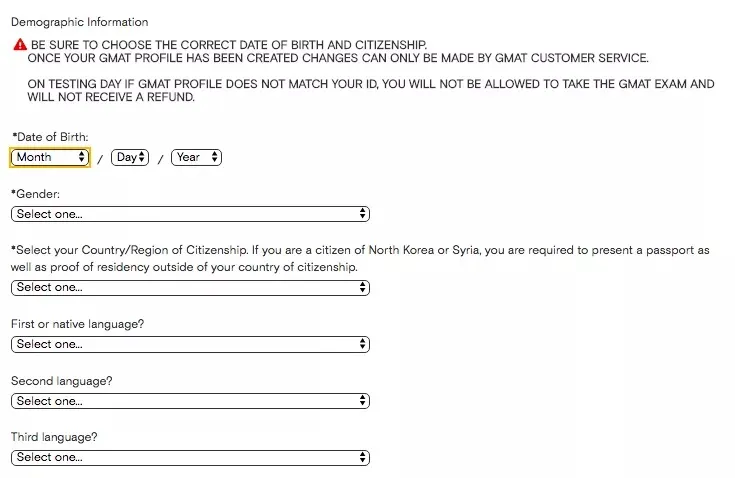
3. Next, fill in your date of birth, gender, and nationality; these must exactly match your passport or other ID.
4. After completing the above information, select your “Communication Preference,” which is how you wish to receive GMAC notifications in the future.
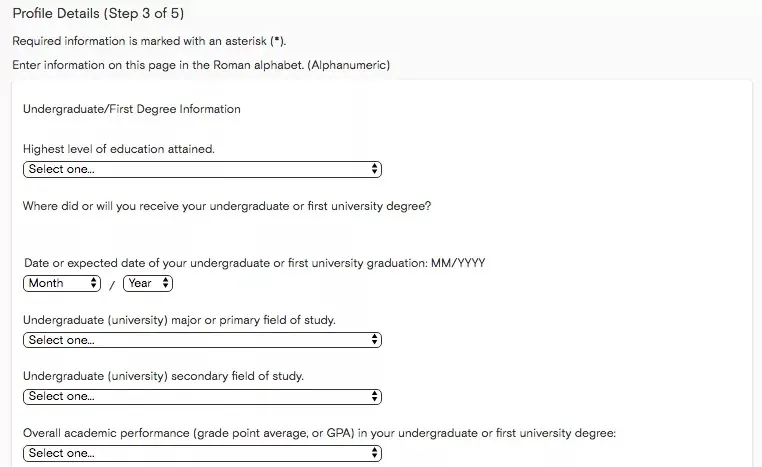
5. Then you can optionally fill in your undergraduate education information:
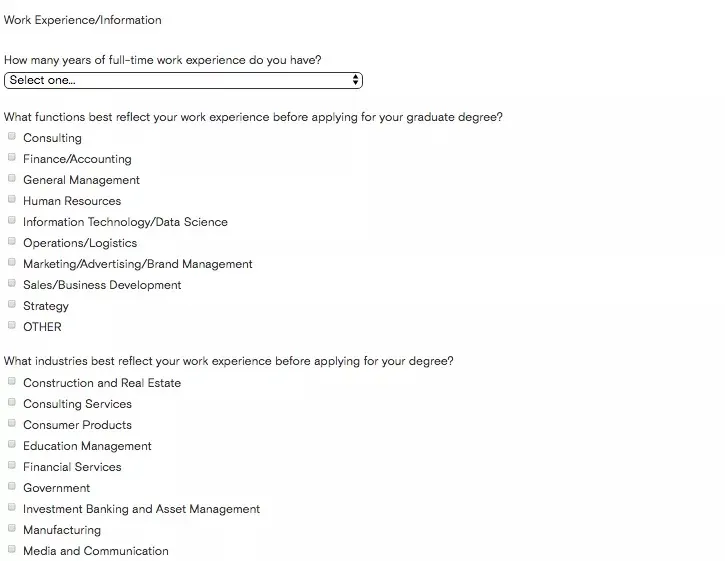
Work experience:
Planned graduate program applications:
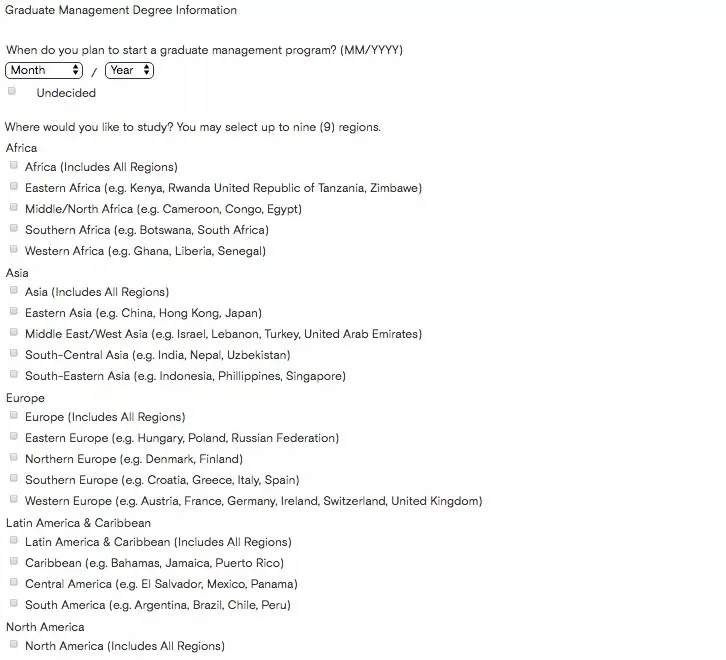
After submitting all the above information, your GMAT account is successfully created.
Registration and Payment
1. After registration, you will see the My Profile main interface.
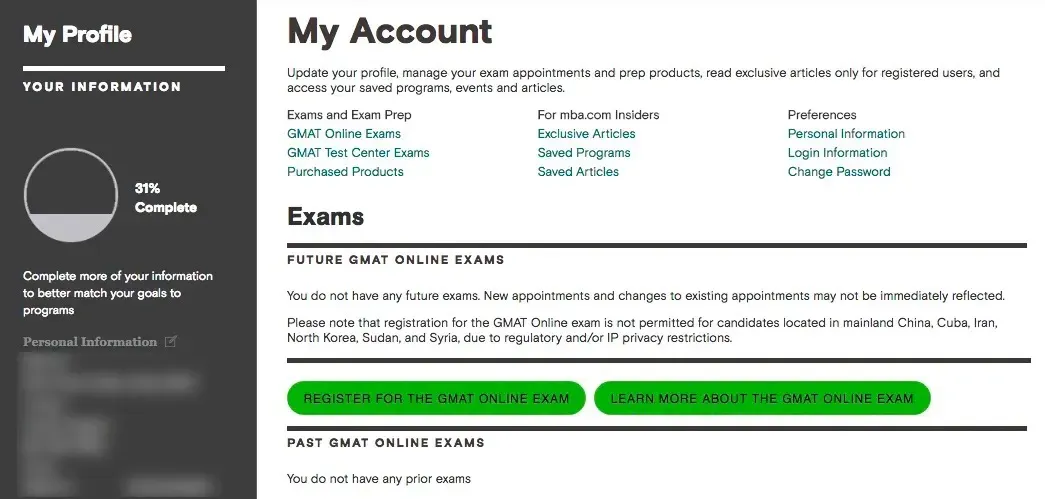
Under the 'My Account' section, click the 'Register For The GMAT Online Exam' option.
2. You will then be directed to the GMAT Dashboard; click 'Schedule Exam' in the image to make an appointment. If you need to reschedule or cancel later, you can do so from this dashboard.
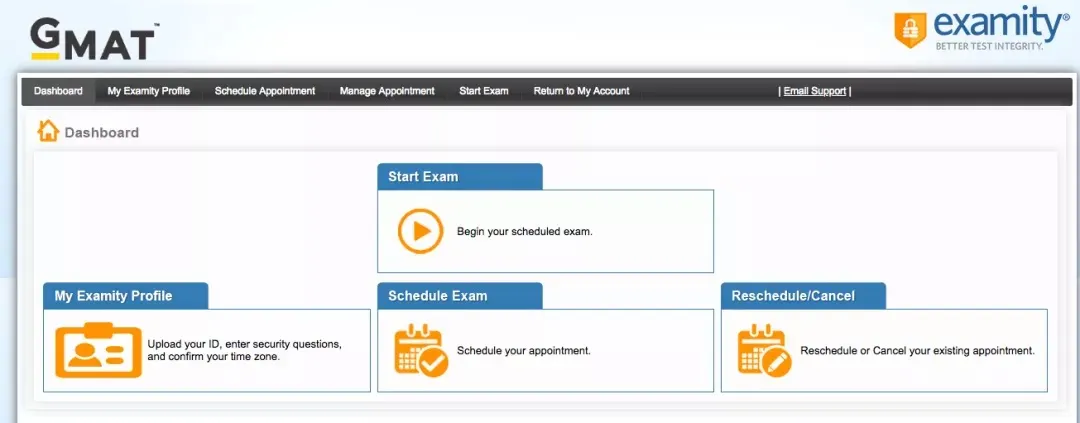
Then you need to provide additional personal information for verification, including selecting your time zone, uploading a valid ID, etc., after which you can enter the registration page.
3. Select the exam date and time
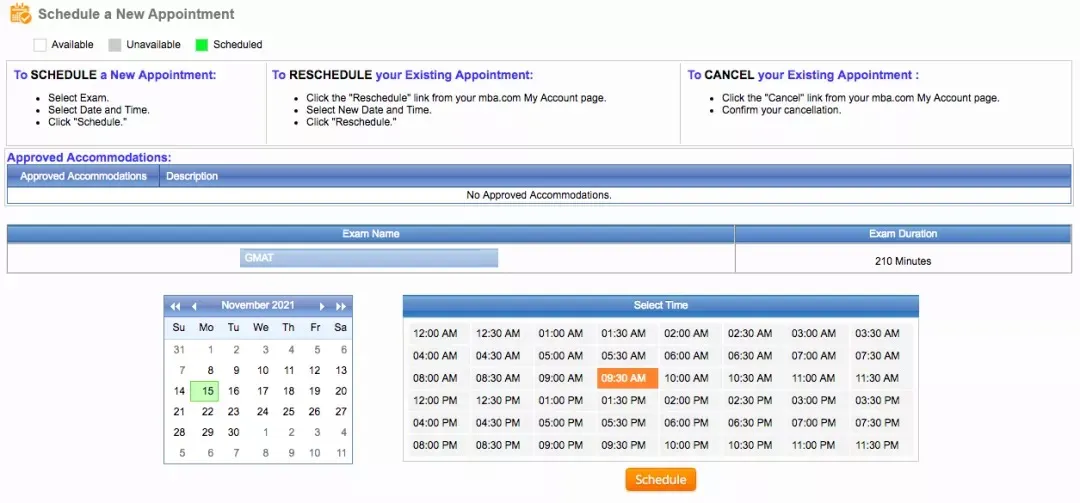
4. Confirmation and payment
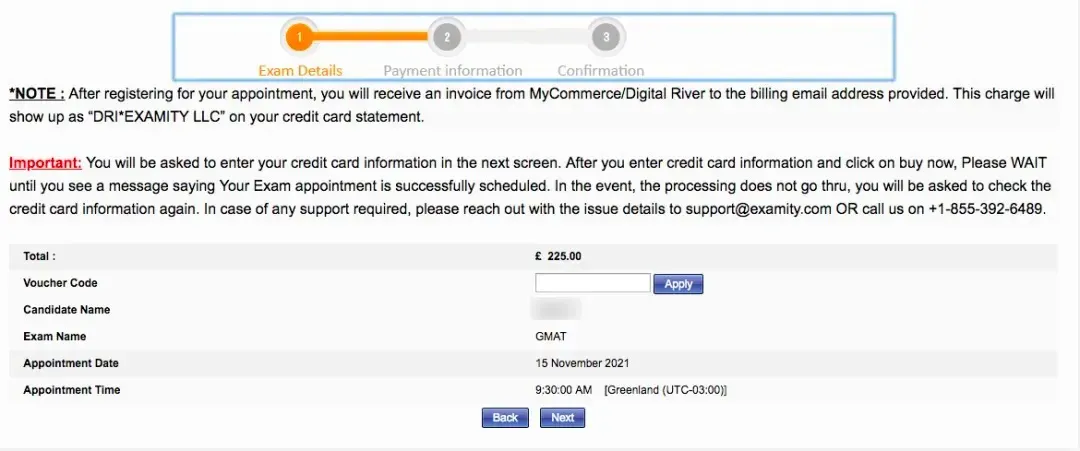
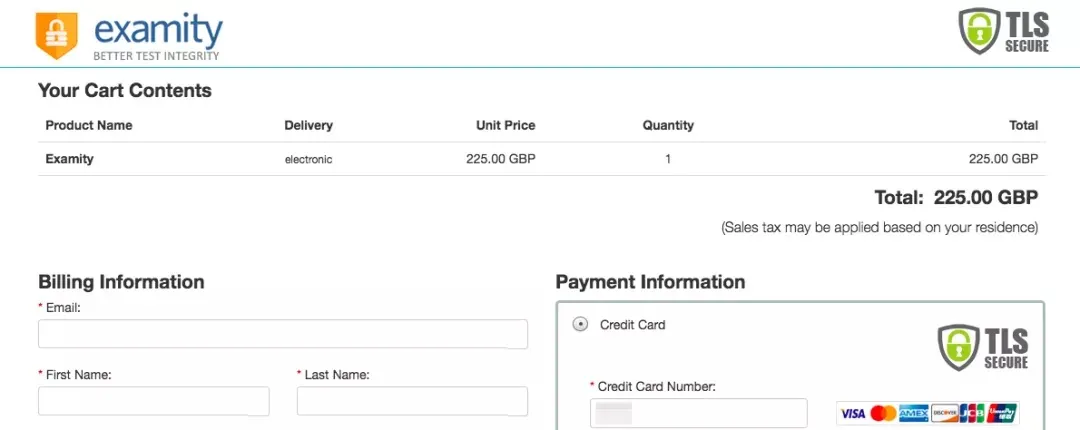
You have successfully booked your GMAT online exam seat!
Online Exam Equipment Requirements
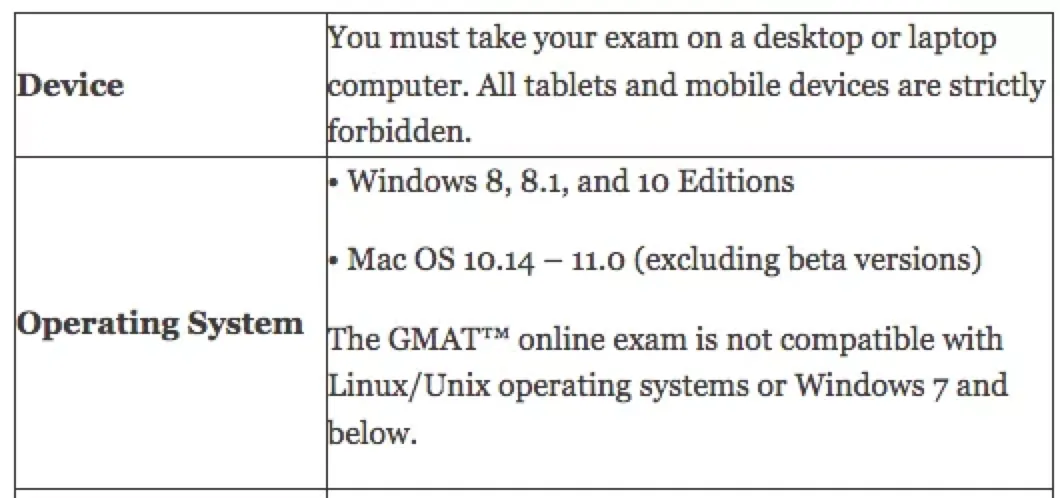
The GMAT online exam can be taken on a Windows or Mac personal computer or laptop. It is recommended to check and test your computer equipment for compliance before taking the GMAT online exam.
System requirements:
-
Windows 8, 8.1, and 10 Edition
-
Mac OS 10.14 – 11.0 (excluding beta versions)
Notes:
-
Windows systems must be validated as genuine.
-
Windows 7, Linux/Unix operating systems are not supported.
-
Do not take the exam in an environment with a corporate firewall (including VPN).
For details: https://www.mba.com/exams/gmat-online/prepare-for-your-exam/system-requi...
This concludes the summary of the latest GMAT online exam policies and registration methods for this year.
We wish all students who can take the online exam a smooth test, outstanding scores, and a successful sprint toward your dream schools!